Bing Meta Descriptions: Do They Matter?
Bing Meta Descriptions: Do They Matter and How Should You Write Them?: Quick answer: yes — Bing meta descriptions matter for click-through, and in many…
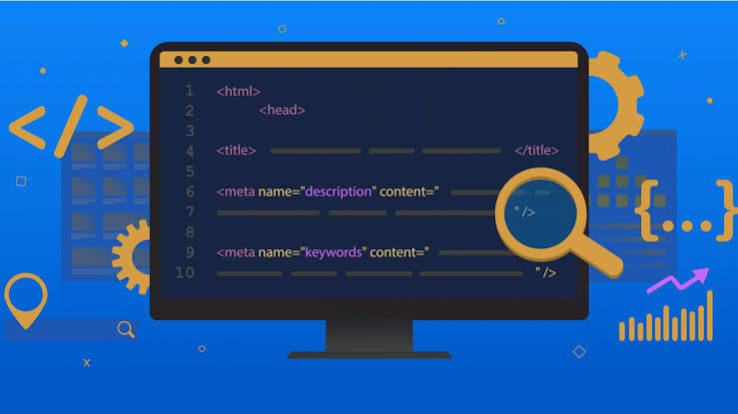
Bing Meta Descriptions Do They Matter
Last updated: October 13, 2026
Quick answer: yes — Bing meta descriptions matter for click-through, and in many cases a well-written description can raise qualified clicks by a few percentage points, though Bing may still rewrite it. In Bing Meta Descriptions: Do They Matter? the practical goal is not ranking control; it is improving how the result is presented to searchers. If you want more qualified clicks from Bing, write the description for the human skimming the result, not for a crawler.
Key Takeaways
- A meta description lives in the HTML
<meta name="description">tag. - Write it like a tight subhead, not a keyword pile.
- Bing meta descriptions are most useful when you want to shape the search-result pitch.
- Teams publishing many commercial pages usually have the most to gain.
I write about search engine behavior and on-page SEO because the details people skip in metadata are often the details that shape whether a result gets clicked at all. Meta descriptions are one of those details, and Bing Meta Descriptions: Do They Matter? is really a question about clicks, presentation, and relevance.
Do Bing meta descriptions matter for rankings or just clicks?
They matter more for clicks than for rankings. That is the cleanest answer, and it is the one I would stand behind.
Microsoft says meta descriptions help search engines understand a page’s summary, but the result snippet Bing shows is not always the description you wrote. Bing may pull text from the page that better matches the query. So if you are asking, “Will a polished meta description move me up the results on its own?”, the answer is no in the practical sense most site owners mean it. If you are asking, “Can it influence whether the result gets clicked once it appears?”, then yes, absolutely.
That distinction matters because a weak page can still earn a click with a good snippet, and a strong page can waste visibility with a vague one. For a commercial page, that means your description can be the difference between a user choosing your result or skipping to the next listing. For a content page, it can be the difference between the right reader and a pogo-stick visitor who leaves in ten seconds.
The trade-off is that Bing may rewrite the snippet, so no meta description is guaranteed to appear exactly as written. That means the description is not a control knob you can depend on without exception. It is still worth writing because it gives Bing a clean fallback and gives you one more place to frame the page.
For reference, Microsoft’s Bing Webmaster Guidelines and Microsoft’s support materials explain snippet behavior, while the W3C’s metadata guidance helps keep page signals consistent. If you want official starting points, I’d look at Microsoft Bing Webmaster Guidelines, Microsoft’s guidance on snippets, and the W3C guidance on metadata concepts.
What Bing meta descriptions actually do on the results page
They do one job: they help shape the short pitch beneath your blue link, if Bing decides to use them.
A meta description sits in the HTML <meta name="description"> tag. Search engines read it as a concise summary of the page. On Bing, that summary may become the snippet shown in search results, or it may simply inform snippet generation behind the scenes. The length you write should be short enough to fit comfortably in a search result, but not so short that it reads like a slogan. I would aim for roughly 1 or 2 sentences and keep the wording natural.
The biggest mistake I see is treating the meta description like ad copy with no real page match. If the description says “best free CRM for startups” and the page is a general feature overview, the snippet may still appear, but it will not help the user once they land. Search engines are good at spotting mismatch patterns. Users are even better at sensing them.
The other mistake is stuffing the exact phrase over and over. That used to pass for optimization. Now it reads as noise. A better description names the page topic once, states the benefit, and gives a reason to click. If the page is a product or service page, include the main differentiator. If it is an article, state the problem the article solves.
One practical figure to remember: many search result snippets are short enough that long descriptions get cut off, so placing the key value proposition early is safer than burying it in the second sentence. According to Google’s own snippet guidance, search engines may rewrite or shorten descriptions, which is why concise wording matters.
How should I write a Bing meta description that gets clicked?
I would write it like a sharp subhead, not like a keyword dump.
The best Bing meta descriptions usually do four things in a compact space:
- State the page topic clearly.
- Show the reader what they gain.
- Match the actual content on the page.
- Use one natural phrase the searcher is likely to recognize.
That sounds basic because it is. The hard part is restraint.
A useful formula is: topic + benefit + proof or angle.
Examples:
- “Compare Bing meta descriptions with practical examples, snippet tips, and when they help search clicks more than rankings.”
- “Learn when Bing uses meta descriptions, how often it rewrites them, and how to write one that earns the click.”
Those are plain, direct, and honest. They do not promise magic. They tell the user why the page is worth opening.
I would avoid these habits:
- Repeating the page title word for word
- Listing six keywords in a row
- Starting with “Learn more about…”
- Writing a description that could fit any page in the site
A good description is specific enough that a person can tell what page they are about to open. If the page is about one service area, one product model, or one problem, say so. If the page answers a narrow question, say the answer type. A user searching “Bing meta descriptions” does not need a lecture on metadata in general; they need to know whether Bing cares, how to write one, and what to expect.
If you want a length target, I would keep most descriptions around 120 to 160 characters in spirit, not as a rigid rule. The exact display varies, and 150 to 160 characters is only a rough benchmark because letters occupy different widths.
The honest side-by-side: Bing meta descriptions versus page copy
Bing meta descriptions win when you need control over the search result pitch. Page copy wins when you need the search engine to find a better matching snippet from the page itself.
| Criteria | Bing meta description | Page copy/snippet text | Winner for [condition] |
|---|---|---|---|
| Control over wording | You write the exact summary. | Bing may choose a different passage. | Bing meta description if brand voice matters |
| Match to query intent | Good if written carefully. | Can be stronger when a query matches a specific paragraph. | Page copy if the page covers many subtopics |
| Consistency across pages | Easy to standardize across a site. | Harder to predict snippet selection. | Bing meta description for large site governance |
| Risk of rewrite | Higher than many people expect. | Not relevant in the same way. | Page copy if you want the engine to “pick the best line” |
| Speed of implementation | Fast if the CMS supports fields. | Already exists, but may need editing. | Bing meta description for quick metadata fixes |
| Help for click-through rate | Strong when clear and relevant. | Strong when the visible snippet is well matched. | Tie, depending on query type |
| Risk of sounding generic | High if templates are lazy. | Lower if the page body is well written. | Page copy for editorial pages |
| Best use case length | One focused sentence or two. | Any section that answers the query clearly. | Bing meta description for product and landing pages |
| Who benefits most | SEO managers, merchandisers, and editors. | Readers when the body text is tightly written. | Bing meta description for pages that need a sales-oriented snippet |
The table points to my real position: if the page is a landing page, category page, or service page, I would prioritize the meta description. If the page is a long article with several valid angles, I would prioritize the body copy and make the description supportive rather than over-optimized.
The weakness of the meta description side is obvious: it can be ignored. The weakness of the page-copy side is also obvious: without a concise metadata summary, the result can look messy or unfocused. That is why the best answer is not either/or. It is “write both well, but know which one Bing is more likely to show for your page type.”
Bing meta descriptions: who should care most, and who can be less obsessive?
SEO managers and anyone publishing lots of commercial pages should care most. Hobby bloggers and very small sites can be more selective.
A site with 200 product pages, service pages, or location pages has a different problem from a personal blog with 40 evergreen articles. On the larger site, a weak or duplicated description template can flatten every result into the same bland promise. That hurts click appeal across the board. On a smaller editorial site, the main body may do more of the work because searchers are choosing between articles, not storefronts.
This is where I would be blunt: if you manage pages that must sell, book, request, or compare, ignore meta descriptions at your peril. A result that says exactly what the user wants to know gets attention. A result that says nothing useful gets passed over.
Here is who should skip perfectionism:
- Sites with a tiny catalog and few indexed pages
- Pages that rarely earn search traffic anyway
- Authors with limited time who can improve the page title and first paragraph first
That does not mean “don’t write them.” It means do not let the metadata consume time that would be better spent fixing the page title, heading structure, or opening paragraph.
A clean benchmark I would use: if a page can drive revenue, leads, or high-intent traffic, write a custom description. If a page is purely informational and unlikely to rank often, a decent default template may be enough until you have bigger problems to solve.
Common mistakes that cost clicks on Bing
The worst mistake is duplication. If ten pages use nearly the same meta description, they will blur together in the results. That is especially damaging on Bing because the snippet is one of the few places where your result can look distinct before the click.
The second mistake is mismatch. If the description promises “pricing,” “comparison,” or “how to choose,” the page had better deliver that in a visible way. The consequence is not only lost trust; it can also reduce the chance the snippet gets used as written.
The third mistake is writing for the engine instead of the reader. A description loaded with awkward keywords may technically mention the query, but it reads like machine residue. I would rather have one clean sentence that a human would repeat aloud than a phrase bank nobody would ever say.
The fourth mistake is forgetting that Bing may rewrite the snippet. That means you should also make the first paragraph of the page useful and readable. If the body copy is thin, the search engine has fewer good options.
A practical standard I like is this: if the page title, meta description, and first paragraph cannot be read together as a coherent promise, the page is not ready.
For a more formal reference point on metadata semantics, I would check the W3C standards materials, and for search engine presentation behavior I would rely on Microsoft’s Bing webmaster documentation rather than generic SEO folklore.
When should you rewrite a Bing meta description entirely?
You should rewrite it when the page intent changes, when the result is not getting the right clicks, or when the current description is generic enough to belong to a competitor.
A rewrite makes sense in four cases:
- The page has been repurposed and the old summary no longer fits.
- The current description is duplicated across multiple URLs.
- The page ranks for a valuable query but gets weak engagement.
- The content is strong, but the snippet does not show the right angle.
I would not rewrite descriptions just because a tool says they are “too long” by a few characters. That can become busywork. Bing will often adjust what it shows anyway. What matters more is whether the description helps the right person choose your page.
The exact case where I would abandon the meta description and focus elsewhere is a page that is not meeting search intent at all. If the title, body, and intent are misaligned, polishing the snippet is putting paint on a cracked wall. Fix the page first.
One useful signal is date. If the page has not been touched in 12 months and the query space has changed, the metadata probably needs a rewrite too. Search results reward freshness only when it comes with relevance.
The verdict: what should you do?
Choose a custom Bing meta description if the page is commercial, high-value, or meant to win the click with a clear promise. Choose body copy first if the page is an article with several valid search angles and the snippet will likely be rewritten anyway. Neither if the page itself does not satisfy the query, because no description can rescue a mismatched page.
That is the decision I would make:
- For landing pages, product pages, and service pages, write custom descriptions.
- For broad informational articles, write a good description, but spend more energy on the title, opening paragraph, and answer quality.
- For duplicate, thin, or low-intent pages, fix the page or noindex it before worrying about the snippet.
The main trade-off is control versus flexibility. Bing meta descriptions give you control over the pitch. Page copy gives the engine flexibility to show a better-matching line. I would choose control for pages where the search result itself is part of the conversion.
Drafted with AI; not yet reviewed by a person.




