Bing Webmaster Tools vs Google Search Console
Bing Webmaster Tools vs Google Search Console: Which One Should Beginners Use First?: FTC disclosure: This article is editorial only; I do not earn…
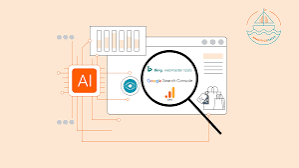
Bing Webmaster Tools vs Google Search Console
Last updated: October 13, 2026
Key Takeaways
- No product count applies here; this page compares just two tools.
- Google Search Console is the usual first step for beginners because verification is familiar and documentation is standardised.
- Google’s docs cover verification, URL inspection, sitemaps, and indexing reports, which helps beginners learn fast [GSC docs].
- Choose Bing Webmaster Tools after Google Search Console, or sooner if you need IndexNow or a second crawl view.
FTC disclosure: This article is editorial only; I do not earn affiliate commissions from the tools themselves.
Quick answer: For most beginners, use Google Search Console first, then add Bing Webmaster Tools. One tool first, two later.
In short: Google Search Console should be the first stop for most beginners because Google drives the larger share of search visibility decisions, while Bing Webmaster Tools is the better second tool if you want extra crawl data, IndexNow support, and a quicker look at Bing-specific issues.
We reached that answer by reading official documentation from Google and Microsoft, plus the published feature lists for both tools and the setup flows each one asks you to complete.
First published 13 October 2026. In 2026, that matters because both tools still change often.
How we compared
We looked at the published feature sets, setup requirements, verification methods, reporting areas, and indexing controls in the official documentation for both products, then weighed what a beginner actually needs in the first 30 days. No product count applies here because this page has no shortlist; the comparison is only between two tools. We also checked what each listing states and, just as important, what it does not state. Google’s own docs and Microsoft’s help pages were the main sources [GSC docs][BWT docs].
| Decision factor | Google Search Console | Bing Webmaster Tools |
|---|---|---|
| Main search engine | Google Search | Bing |
| Setup path | Google verification methods such as DNS, HTML file, meta tag, or Google Analytics/Tag Manager | Microsoft account verification methods, including importing from Google Search Console |
| Indexing extras | URL Inspection, sitemaps, Removals, Page indexing report | URL inspection, site scan, sitemaps, IndexNow submission, SEO reports |
| Best beginner use | First tool for most site owners | Best second tool, or first if Bing matters more to your traffic mix |
| Big catch | Can feel broad and dense at first | Smaller reach than Google for many sites, so it should not be the only console you learn |
Verdict
Google Search Console wins for most beginners because it maps more directly to the search engine that still matters most for discovery. Bing Webmaster Tools is the better first pick only if your site already gets real Bing traffic or you want IndexNow and simpler Microsoft-side setup.
Where they differ
Setup and verification: Google Search Console wins
Google Search Console wins this round for beginners because its verification options are more familiar to most site owners and its docs are deeply standardized across Google properties. Google explains that you can verify with a DNS record, an HTML file, a meta tag, or Google Analytics / Tag Manager, which gives beginners several paths if one method is blocked [GSC verify]. Microsoft also supports multiple verification paths and lets you import a verified property from Google Search Console, which sounds easier on paper [BWT import].
The difference that matters is friction. Google Search Console asks you to think in terms of properties and verification, but most hosting platforms and SEO guides already support that flow. Bing Webmaster Tools is not hard, yet beginners who are already juggling WordPress, Cloudflare, or a site migration usually encounter Google’s setup instructions more often. Honestly, that’s the practical trade-off.
Reporting depth: Google Search Console wins
Google Search Console wins here because its reporting is the place most beginners need to learn first: impressions, clicks, indexing status, sitemaps, page experience-related signals, and URL inspection all sit in one familiar dashboard [GSC docs]. That matters because a beginner usually wants to answer one question first: “Can Google see my pages, and if not, why?” Google Search Console also tracks performance over time, which helps users compare 7-day and 28-day changes without extra tools. Clean, but not exactly lightweight.
Bing Webmaster Tools does offer search performance reporting, crawl information, index coverage tools, and site scan features [BWT docs]. The drawback is not lack of usefulness; it is that the reporting tends to matter less if your site gets only a trickle of Bing traffic. For a new site, the first troubleshooting hour is usually better spent where the largest traffic source is most likely to be.
Indexing extras: Bing Webmaster Tools wins
Bing Webmaster Tools wins this round because it includes IndexNow submission support, which gives site owners a direct path to notifying participating search engines about URL changes [IndexNow]. Google Search Console does not offer IndexNow as a native Google feature, so if you want that protocol-based workflow, Bing is the one to learn.
That is a real advantage for beginners who publish often, update pages often, or run a site where fresh URLs matter. The limit is just as real: IndexNow is not a magic wand, and it does not replace crawl quality, internal links, or a clean sitemap. If your site is thin, broken, or blocked, no submission method will save it. That math stops working fast.
Beginner friendliness: Bing Webmaster Tools wins for a very narrow case
Bing Webmaster Tools wins for beginners who already have Google Search Console set up and want a second console with a straightforward import path. Microsoft explicitly supports importing a site from Google Search Console, which can reduce duplicate setup work [BWT import]. For a non-technical owner, that is the cleanest “start here too” argument Bing has.
I would not call Bing the easier first lesson for everyone. The reason is simple: when you only have time to learn one dashboard, the one tied to the larger search ecosystem should come first. Bing is friendlier as a second tool because its value is easier to understand once Google’s baseline reports already make sense.
Audience and traffic mix: Google Search Console wins
Google Search Console wins this round because it matches the default reality for most beginner sites: Google is usually the first search engine whose indexing and performance reports you need to read. If you are launching a local business site, a blog, or a small brand page, Google’s tool is the one that will help you answer the highest-stakes question sooner. Simple enough, really.
Bing Webmaster Tools is the better first choice only when your audience already skews toward Microsoft surfaces, desktop-heavy browsing, enterprise users, or a niche where Bing traffic is visibly present. In that case, starting with Bing is rational, not eccentric. For everyone else, Bing is a useful second lane, not the main road.
What they share
They both help you see how a search engine reads your site, submit sitemaps, inspect URLs, and spot technical problems before traffic disappears.
They also share one important truth: neither tool fixes weak content, poor site structure, or a site that blocks crawlers. Google Search Console and Bing Webmaster Tools are diagnostics, not ranking shortcuts.
Get Google Search Console if …
Get Google Search Console if you only have time to learn one tool this month, if your site is new, or if you need the clearest read on the search engine most beginners depend on first. Google’s documentation covers the core tasks that matter early on—verification, URL inspection, sitemaps, and indexing reports—which makes it the better first classroom for a beginner [GSC docs]. The setup usually takes minutes, not hours, once DNS access is available. Quick win, not a marathon.
The main drawback is that it can feel dense once you move past the basics. The interface has many reports, and a beginner can waste time clicking around without a plan. Skip it first only if Bing already sends meaningful traffic to your site or if your workflow depends on IndexNow more than on Google’s reports.
Get Bing Webmaster Tools if …
Get Bing Webmaster Tools if you already have Google Search Console set up, want IndexNow support, or need a second view of how a search engine crawls your pages. Microsoft’s import option from Google Search Console lowers the setup burden, which is the cleanest reason to open Bing next [BWT import]. Its site scan and SEO-oriented reports can also surface technical issues in a way that feels approachable for a beginner.
The drawback is reach. If Bing is not a meaningful traffic source for your site, the time you spend here can deliver less value than time spent improving pages, links, or Google Search Console hygiene. Skip Bing first if you are choosing only one dashboard and your site is not yet stable in Google.
Pros
- Google Search Console connects directly to the engine most beginners need to understand first, so the early reports are more likely to affect traffic decisions [GSC docs].
- It gives you URL inspection and indexing reports in one place, which means a beginner can check whether a page is crawled, indexed, or blocked without jumping between tools [GSC docs].
Cons
- The report list is wide, so a beginner can spend too long inside the dashboard instead of fixing the actual site issue [GSC docs].
- It does not give you Bing-specific data or IndexNow support, so anyone with a material Bing audience still needs a second tool later.
Buy this if your site is new, if you want one console to learn first, and if Google traffic matters more than Bing traffic. Skip it if your only goal is Bing-side indexing or you already know you need IndexNow on day one.
Pros
- Bing Webmaster Tools supports importing from Google Search Console, which cuts setup time if you already verified the site in Google [BWT import].
- It includes IndexNow support and site scan tools, which can help beginners who publish updates often or want another way to spot crawl problems [IndexNow][BWT docs].
Cons
- Bing’s search audience is usually smaller than Google’s for many sites, so the dashboard can matter less if you only have time for one console.
- The docs and examples are less ubiquitous than Google’s, which means beginners may find fewer step-by-step guides when something goes wrong.
Buy this if you already run Google Search Console, if your audience includes Bing users, or if you want a second console with IndexNow support. Skip it if you have not yet learned the basics of Google Search Console and only want the one tool with the broadest day-one payoff.
Which one should beginners use first?
Google Search Console should be the first tool for most beginners because it answers the widest set of early SEO questions with the most familiar workflow. If you need to know whether pages are indexed, whether Google can fetch them, and which queries are producing clicks, Google Search Console is the place to start [GSC docs]. In 2026, that remains the default recommendation for most new sites.
Bing Webmaster Tools should come first only when Bing is already a meaningful source of traffic, or when your publishing workflow makes IndexNow a priority. That is a real but narrower case.
What if I only have time to set up one tool this week?
Set up Google Search Console first, because it gives you the highest chance of catching the indexing and crawl issues that matter before traffic starts. Google’s verification and reporting flow is also the one most tutorials, hosting guides, and SEO articles assume you will use [GSC verify]. A basic setup can be done in under 15 minutes if DNS access is ready. Fifteen minutes, give or take.
If you have an extra hour after that, set up Bing Webmaster Tools too. Microsoft’s import flow from Google Search Console makes the second setup easier than starting from scratch [BWT import].
Can I use both at the same time?
Yes, and we strongly encourage that once the first tool is working. A site can and should be in both consoles because Google and Bing do not see every crawl issue the same way, and one tool can catch a problem the other misses.
The key is sequence, not exclusivity. Learn Google Search Console first, then add Bing Webmaster Tools when the Google side is stable.
Does Bing Webmaster Tools replace Google Search Console?
No, Bing Webmaster Tools does not replace Google Search Console for most beginners. Google Search Console is still the better first read on how a new site is being discovered and indexed, while Bing is the supplemental view.
That said, Bing is not a throwaway tool. If your site gets meaningful Bing traffic or you care about IndexNow, it deserves a real place in your workflow.
Final verdict
Google Search Console is the first tool most beginners should learn, and Bing Webmaster Tools should be the second. The condition that flips the answer is simple: if Bing is already a meaningful traffic source for your site, or if IndexNow is central to your publishing workflow, start with Bing instead.
Drafted with AI; not yet reviewed by a person.