How to Plan Pagination and Infinite Scroll for Bing Indexing
How to Plan Pagination and Infinite Scroll for Bing Indexing: use stable HTML links, one URL per page state, and a crawlable fallback; that is the safest…
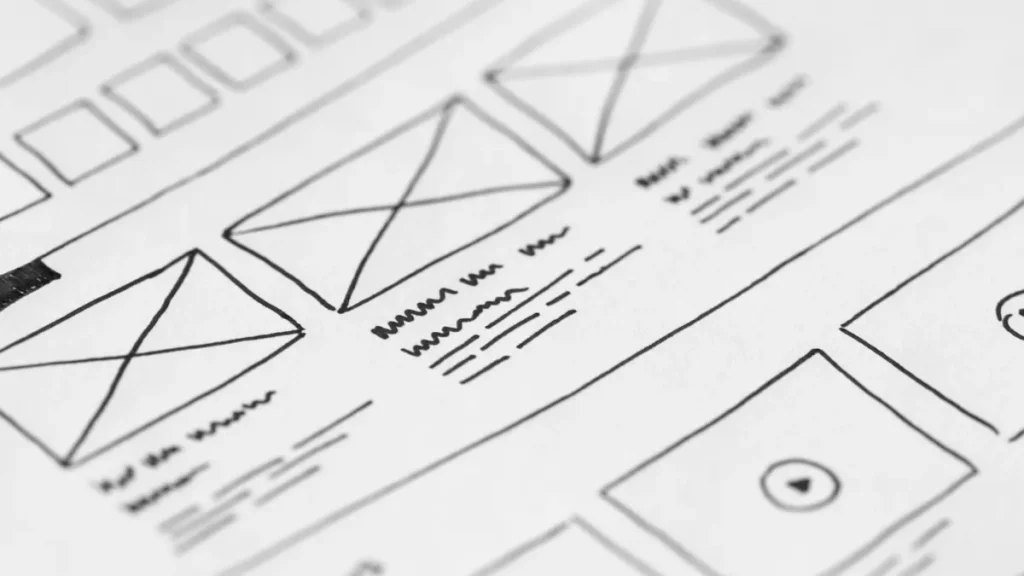
Website wireframe sketches on paper
Last updated: October 29, 2026
Quick Answer: use stable HTML links, one URL per page state, and a crawlable fallback; that is the safest way to plan pagination and infinite scroll for Bing indexing.
Key Takeaways
- Bing needs a crawlable path to each item, not a clever user interaction.
- Plan URLs first so Bing has a stable address for each page.
- Infinite scroll works for Bing only when real links and a crawlable fallback remain visible.
- Next/prev pages are often better for long archives, predictable discovery, or lighter crawling.
If you are planning pagination and infinite scroll for Bing indexing, start with crawlable HTML links, not the visual interaction. Bing is most reliable when page 1, page 2, and deeper pages each have stable URLs and a link path in the rendered DOM. Infinite scroll can sit on top of that structure, but it should not be the only way to reach deeper product, category, or article pages.
What Bing needs from a paginated series
Bing needs a crawlable path to each item, not a clever user interaction. A paginated series works best when page 1, page 2, and deeper pages each have their own URL, the links are visible in HTML, and the sequence can be followed without dragging, tapping, or waiting for JavaScript to invent new URLs. That is the core difference between a page Bing can index and a feed Bing has to guess at.
The most useful mental model is simple: if a person can move from one page to the next by clicking a link, bingbot has a chance to do the same. If the only way to reveal page 8 is to scroll until a script loads it, the crawl path becomes less reliable. This is why pagination still matters even on modern sites that favor infinite scroll. The UI may be smoother, but Bing indexes URLs, not gestures.
A clean series usually has three pieces:
- Next/prev pages for normal traversal.
- Direct links to deeper pages where the site can support them.
- A view-all page only when it truly fits the content and performance profile.
The choice often depends on the size of the series. A 12-item category can often be handled with standard pagination and a small number of links. A 500-item archive usually needs tighter control, because pushing every item through a scroll-only interface makes discovery harder. The trade-off is plain: more explicit URLs mean better crawl paths, while too many page variants can dilute signals and create maintenance work.
This is also where generic advice often goes wrong. People say “use infinite scroll for UX” and stop there. For Bing indexing, the real question is whether the scroll pattern still leaves indexable links behind. If the answer is no, the design is risky.
Plan the URL structure before you touch the front end
Plan the URL structure first because Bing can only index what has a stable address. A paginated series should use predictable URLs that separate each page cleanly, such as distinct query parameters or path segments that your site can maintain consistently. The exact pattern matters less than consistency; what matters is that page 2 is always page 2 and does not change depending on session state, device, or scroll position.
There is a second reason to do this early: pagination decisions affect internal linking and canonical handling. If the site later adds a view-all page, or if infinite scroll duplicates the same list content across multiple states, the URL plan decides whether Bing sees one series or many near-duplicates. You want one canonical path for each indexable version.
Use this procedure for a new series or a redesign:
- Choose the primary series format before development starts. Pick standard pagination, infinite scroll with fallback pagination, or a view-all page plus pagination. The result should be one default crawl path, not three competing ones.
- Assign one URL per page state. Make page 1, page 2, and later pages resolve to unique addresses that do not depend on JavaScript state alone. Bing then has a concrete target for each page.
- Keep the same content order on each page. If item 7 appears on page 2 today and page 3 tomorrow, the crawl path becomes unstable. Stable ordering helps Bing understand the series.
- Add a crawlable HTML link to the next page. Use a standard
<a href="...">Next</a>link, not only a button wired to script. A plain anchor is usually the safest signal. - Choose one canonical version for duplicates. If a view-all page exists and the paginated pages also exist, decide which URL should be canonical for each item set. This prevents index bloat; consult an SEO professional if the setup is complex, and review Google’s canonical guidance and Bing’s documentation before launch. Google Search Central: Consolidate duplicate URLs and Bing Webmaster Guidelines.
- Check that each page returns a normal 200 status. A blocked, soft-404, or inconsistent response interrupts discovery.
For standards-minded teams, the anchor element is the workhorse here, not a custom component. HTML links are old because they work. Bing’s crawler is built to follow them. That is why the safest pagination design is still boring.
How to make infinite scroll indexable without losing the crawl path
Infinite scroll is indexable for Bing only when the page still exposes real links and a crawlable fallback. The scroll effect can stay, but it cannot be the only mechanism that reveals deeper items. If the list loads more content only after JavaScript events, then you need a conventional path that lets bingbot reach that content through HTML or through URLs that the crawler can request directly.
The clean pattern is progressive enhancement:
- Load the first chunk in HTML.
- Include a visible “next” link or load-more link.
- Let script enhance the experience for users.
- Keep the same URL path available without relying on a scroll event.
That structure lets a user scroll naturally while Bing still sees a regular page series underneath. The page can append items as the user moves down, but the HTML source must already point to the next page or the next chunk. Without that, the crawler may stop at the first rendered state.
A useful rule: if the page would still make sense with JavaScript turned off, it is much more likely to be crawlable. If the content disappears unless a script runs, the site has created a dependency that Bing may not follow reliably. That is not a technical failure in every case, but it is a risk the site owner is choosing.
This is where lazy loading causes trouble. Lazy loading is fine for images and can be fine for content chunks, but the page still needs indexable links. A lazy-loaded list item that never receives a linkable URL is just content hanging in the air. Bing cannot discover what it cannot request.
A practical test is straightforward: ask whether page 4 of the feed can be reached by a normal anchor in the rendered HTML. If the answer is yes, the infinite scroll design is probably supportable. If the answer is no, the site is depending on script behavior too heavily.
For teams that care about deeper technical context, Bing’s own guidance on JavaScript rendering and indexability is worth reading alongside this plan. The key point remains the same: the crawler needs a path, not a gesture. The Bing Webmaster Guidelines are the right place to check the broader rules, and the WHATWG HTML standard for anchor elements explains why real links matter in the first place.
Where next/prev pages still beat infinite scroll
Next/prev pages beat infinite scroll when the site needs predictable discovery, lightweight crawling, or long content archives. Pagination is easier to reason about because each step is explicit. Page 1 links to page 2, page 2 links to page 3, and so on. That chain is simple for users and simple for crawlers.
This choice matters most for large series. A 30-item category might feel smooth with endless loading, but a 3,000-item archive can become a crawl-management problem if the only route is a scripted scroll. Standard pagination creates smaller, testable pages, and it gives Bing more chances to discover the series incrementally. The cost is user friction: some people dislike clicking through multiple pages, especially on mobile.
There is also a performance angle. A long infinite list can create heavy DOM sizes and long render times if the page keeps appending content. Pagination limits the number of items in the browser at once. That does not automatically make it faster, but it gives the site a cleaner ceiling. The trade-off is obvious: pagination may interrupt browsing, while infinite scroll may overload the page if it keeps growing.
Use pagination when any of these are true:
- The list has deep archives.
- Each page has a meaningful theme or time slice.
- Users may want to return to a specific page later.
- The site cannot guarantee reliable JavaScript rendering for every crawler.
Use infinite scroll only when the site can preserve crawlable URLs under the hood and the content is naturally browsed in one long stream. News feeds and social-style timelines often fit that pattern better than taxonomies or ecommerce categories.
A generic article often claims infinite scroll is “better for engagement” and leaves it there. That misses the indexing problem. Bing does not reward a scroll effect by itself. It rewards discoverable URLs and coherent internal paths.
How to use view-all pages without creating duplicates
A view-all page helps Bing when it collects the full series in one place and the page is still usable. It hurts when it becomes a duplicate that competes with the paginated pages or when it is too heavy to load. The page works best as an optional canonical target for users who want everything at once, not as a replacement for every other URL on the site.
The main question is size. A view-all page with 20 short entries may be fine. A view-all page with 400 images, long descriptions, and embedded media can become cumbersome fast. If it slows down badly or turns into a wall of content, it may be a poor user experience and a poor crawl target.
The indexing logic is straightforward:
- If the view-all page is the preferred consolidated version, make that choice explicit.
- If the paginated pages are the preferred versions, keep the view-all page from competing.
- If both are needed, make sure each has a clear role.
This is where canonical thinking matters. Without a clear policy, Bing may encounter the same set of items through page 1, page 2, the scroll container, and the view-all page. That can split signals and make the series harder to interpret. One URL should answer one job.
A view-all page can also serve as a rescue route for crawlers that struggle with deeper pagination, but only if the page is actually indexable and linked. Hidden utility pages do not help. If the goal is to improve crawl access, the link has to be in the site architecture where Bing can find it.
The honest limitation: not every series deserves a view-all page. For some catalogs, the page is too heavy, too slow, or too easy to duplicate. In those cases, standard pagination with clear HTML links is the cleaner solution.
What to check before launch
Check the rendered HTML, the link graph, and the crawl path before launch. Those three checks catch most Bing indexing problems without guesswork. The aim is not to admire the front end. The aim is to confirm that bingbot can move through the series the way the site expects.
Start with the rendered source. Open the page and inspect whether the next-page link exists as a real <a href> in the DOM. A script-only button is a warning sign. Then move to page 2 and page 3 and confirm the pattern stays consistent. If the URL changes shape from one page to the next, or if the content order shifts, the series is unstable.
A simple prelaunch checklist:
- Open the page with JavaScript disabled if possible. The first chunk should still load, and the next-page link should still be present.
- Inspect the anchor tags. The next and previous controls should be actual HTML links, not divs pretending to be links.
- Request a deeper page directly. Page 5 should return the same content every time and should not depend on a scroll event.
- Look for duplicate series variants. Filtered views, sort orders, and scroll states should not all become separate indexable paths unless that is the plan.
- Compare the paginated pages to any view-all page. Decide which version should be canonical and keep the signals aligned.
- Confirm that the first page links to the second, and the second links back. That simple bidirectional path helps both users and crawlers.
If a team wants a reference point for broader technical decisions, this topic belongs under the larger Bing technical architecture strategy. Pagination is one part of the crawl plan, not the whole plan.
The mistakes that cost Bing crawlability
The biggest mistake is hiding deeper pages behind script-only scrolling. That costs discoverability, because Bing may never see page 3 or page 12 as a requestable URL. The fix is to put real links in the rendered HTML and keep the scroll behavior as an enhancement, not the only route.
The second mistake is treating the view-all page as an afterthought. That often creates duplicates or inconsistent canonical signals. The cost is split relevance and messy indexing. The fix is to decide early whether the view-all page is the preferred version, a backup route, or not needed at all.
The third mistake is broken sequence logic. If page 2 does not link to page 3, or if the site uses JavaScript to swap URLs without stable anchors, bingbot can stall. The cost is incomplete crawling. The fix is boring but effective: a plain next link, a predictable URL pattern, and a stable order.
The fourth mistake is making infinite scroll so aggressive that the page becomes unmanageably large. A browser can choke on a long DOM, and a crawler can face the same burden. The cost is slower rendering and weaker discovery. The fix is chunked content with explicit links, not an endless append loop.
Not every site needs infinite scroll. Not every site needs a view-all page. For many paginated series, the most indexable design is still the oldest one: numbered pages with standard HTML links and a crawl path that does not depend on a human gesture.
Does Bing index infinite scroll?
Bing can index infinite scroll when the deeper content still has crawlable links and stable URLs. The scroll effect alone is not enough. If the page loads more items only after JavaScript events and does not expose those items through HTML links or a fallback path, Bing may stop at the initial view. The safest setup is progressive enhancement with a normal paginated path underneath.
Should I use a view-all page for Bing?
Use a view-all page only if it is useful to people and does not become a heavy duplicate of the paginated series. A compact view-all page can help discovery and simplify canonical choice. A huge one can slow down rendering and muddy the index. If both versions exist, decide which one is primary and keep the signals consistent.
How do I make paginated pages crawlable?
Bing can crawl paginated pages when the sequence is exposed through HTML links, stable URLs, and consistent content order. Keep page 1, page 2, and later pages reachable without JavaScript alone, and verify the anchors in rendered HTML before launch.
Drafted with AI; not yet reviewed by a person.