How to Use Bing Webmaster Tools Performance Reports to Improve Search Traffic
Quick Answer: Bing Webmaster Tools Performance Reports can help you improve search traffic in as little as one 28-day cycle by identifying pages with high…
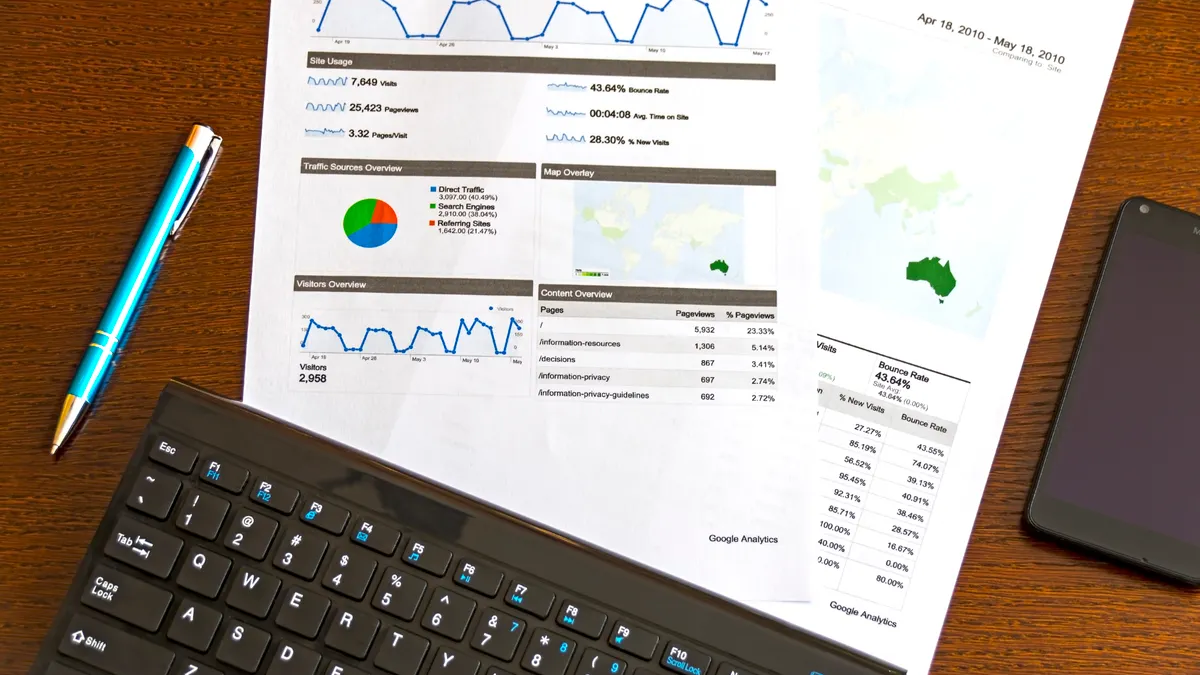
Printed analytics report with charts and performance data
Last updated: October 11, 2026
Quick Answer: Bing Webmaster Tools Performance Reports can help you improve search traffic in as little as one 28-day cycle by identifying pages with high impressions, weak clicks, or average positions around page 1 or 2. In this guide, How to Use Bing Webmaster Tools Performance Reports to Improve Search Traffic means using those report signals to choose which pages to edit first, what to change, and when to leave a page alone.
Bing Webmaster Tools Performance Reports tell you which queries, pages, and countries already send search traffic, so you can fix the pages that are close to winning instead of guessing. That is the whole point: I would use the report to find pages with impressions but weak clicks, pages that rank on page 2, and queries where Bing already sees a clear topic match but the title or snippet is not earning the click.
What Bing Webmaster Tools Performance Reports actually show
They show impressions, clicks, click-through rate, average position, and filters for query, page, country, device, and date range. Those five numbers are enough to spot the difference between a page that is being seen and a page that is being chosen.
The key is to read them as a decision tool, not a vanity dashboard. A page with 12,000 impressions and 84 clicks is telling a different story from a page with 180 impressions and 42 clicks. The first page has visibility but weak packaging; the second may have a focused niche topic with room to scale. Bing’s own help documentation for Webmaster Tools describes performance data in those terms, and Microsoft’s documentation is the authoritative place to confirm exactly which filters and date ranges are available in the interface: Microsoft Bing Webmaster Tools Help.
The mistake I see most often is treating average position as the only metric that matters. It does not. Position 8 with a 9% CTR can be better than position 4 with a 1% CTR if the second page is misaligned with intent. I would start with the report because it tells me where the searcher is already meeting the site; then I decide whether the problem is relevance, presentation, or technical access.
Key Takeaways
- Impressions tell you where Bing already sees your pages.
- CTR shows whether the snippet earns the click.
- Average position helps, but it is not the only signal.
- The best opportunities are often pages already near page 1 or 2.
How do I find the pages that can grow fastest with Bing Webmaster Tools Performance Reports?
I would start with pages that have high impressions, middling positions, and below-average CTR because they are the easiest traffic gains to chase first. In practice, that means sorting the report by impressions, then looking for pages in roughly positions 4 through 20 where the click rate is disappointing for the query type.
This is where a generic SEO article usually gets vague. The real job is to separate three kinds of underperformance. First, a page can be visible but badly packaged: the title tag is thin, the meta description is dull, or the snippet does not answer the query. Second, a page can rank for the wrong intent: informational wording on a transactional query, or vice versa. Third, a page can be close but not good enough on content depth, internal links, or trust signals.
I would use a simple rule: if a page has 500+ impressions over 28 days and fewer clicks than you would expect from its position, it deserves a rewrite before it deserves a backlink campaign. The number is not magic; the point is to set a floor that keeps you from chasing tiny samples. For lower-volume sites, even 100 impressions can be enough if the query is clearly important to the business.
Use the page filter to avoid cross-contamination. A homepage and a guide often attract different query mixes, and average CTR across both can hide the problem. If one article gets 2,000 impressions for six closely related queries, that article is usually where I would work first.
Which queries should I target first in Bing Webmaster Tools?
I would target queries with clear intent, obvious page relevance, and low friction to improve because those give you the quickest lift. The best candidates are not always the highest-volume queries; they are the queries where Bing is already testing your page and you can make the result more useful in 1 or 2 edits.
Start with query clusters, not isolated phrases. If Bing shows a page for “how to fix 404 errors,” “broken links on website,” and “site crawl error,” that is one topic cluster, not three separate jobs. A page that answers all three better often gains more than a page that chases one exact phrase. That matters because Bing’s performance report lets you see query-level demand, but searchers do not think in spreadsheet rows.
I would also watch for branded queries that have weak CTR. A brand name should usually convert well, so low clicks there can signal a title problem, a poor result snippet, or a mismatch between the query and the landing page. Non-branded queries are often more useful for growth, but branded queries can be the fastest diagnostic signal when something is off.
For a practical pass, I would sort queries by impressions, then mark:
- queries with position 4–10 and weak CTR
- queries with position 11–20 and steady impressions
- queries where the page is clearly relevant but the snippet says too little
That list tells you what to edit first. It is a better use of time than rewriting every page on the site, which is the trap many teams fall into after seeing a report for the first time.
What should I change on the page after I spot a weak report?
I would change the title, the opening paragraph, the heading structure, and the section that best matches the query intent before I touch anything else. Those are the parts that most directly affect whether a searcher clicks and whether Bing continues to treat the page as a match; if your situation is sensitive or high-stakes, consult a qualified SEO or content professional and verify the wording against Microsoft’s guidance and Google Search Central’s title-link best practices: Microsoft Bing Webmaster Tools Help, Google Search Central.
If the query is informational, the title needs to promise a direct answer, not a brand phrase. If the query is commercial, the title should help the user compare options, pricing, or trade-offs. If the query is navigational or branded, the page has to make the destination obvious. That sounds basic, but the report is where you see how often basic mistakes cost traffic.
I would use the query report to decide what the opening paragraph must say in plain English. A page that ranks for “Bing sitemap not submitting” should say “how to fix sitemap submission problems in Bing Webmaster Tools” near the top, not bury the answer under context. Then I would tighten H2s so each one reflects a distinct sub-question the searcher might ask. If the report shows multiple related queries, I would make sure one page covers them in one place rather than splitting the topic into thin fragments.
Technical changes matter too, but I would treat them as second-order unless the report and crawl data point to a problem. A page with good query alignment but poor impressions can need internal links, indexability fixes, or canonical cleanup. A page with strong impressions and weak CTR usually needs copy, not code. Bing’s report helps you tell those apart.
The mistake that costs the most traffic
The biggest mistake is changing pages without checking whether the query set changed first, and that can waste a full month of work. I say that because the report can hide a common trap: a page may have 20 different queries, but only 3 of them actually matter to the site’s goals.
If you optimize for the wrong query, you can improve CTR and still lose useful traffic. A page about “Bing Webmaster Tools verification” might start attracting more clicks for a tangential phrase like “Bing tools login” after a title rewrite, yet that traffic may not convert because the search intent is weaker. The report will still look better on paper unless you separate business value from raw clicks.
Another costly mistake is reacting to short date ranges. A 7-day view can mislead you when Bing is still testing a page or when seasonality distorts demand. I would usually compare 28 days against the previous 28 days before making a judgment, and I would extend the window when the site gets low volume. That keeps one bad weekend from sending you in the wrong direction.
The third failure is over-editing. If you rewrite the title, the H1, the introduction, and three sections at once, you will not know which change helped. I would change one page in one controlled pass, then watch the report over the next crawl and ranking cycle. That patience is not glamorous, but it is how you learn what Bing is actually responding to.
How do I turn the report into an editing workflow?
I would use the report as a weekly queue: find, prioritize, edit, then recheck after 14 to 28 days. That turns performance data into a repeatable process instead of a one-off audit.
A simple workflow looks like this:
- Pull the last 28 days of data.
- Filter to the country and device that matter most.
- Sort pages by impressions.
- Flag pages with position 4–20 and weak CTR.
- Open the query list for each page and group related terms.
- Edit one page at a time.
- Recheck after Bing has had time to recrawl and rerank the page.
I would keep the changes small enough to attribute. A title rewrite, a clearer intro, and one new section are enough to test most hypotheses. If the page still underperforms after that, I would look at internal linking, backlinks, page speed, or competing results in Bing’s SERP. For internal linking strategy, see the guide to internal linking best practices. For a technical follow-up, see how to improve crawlability and canonical tags explained.
The report is also useful for deciding what not to touch. If a page already has strong CTR and stable position, I leave it alone unless there is a business reason to update it. Chasing every page is how teams waste the clearest signals.
Before and after: a practical way to read the report
I would compare the same page across two 28-day windows so the change is visible without guessing. The table below shows the kind of before/after structure I would use in the report review itself, even when the absolute numbers are modest.
| Metric | Before | After | Change | Timeline |
|---|---|---|---|---|
| Impressions | Higher or lower baseline | New 28-day window | Compare trend, not one day | 28 days vs. prior 28 days |
| Clicks | Baseline clicks | New clicks | Net gain or loss | 28 days vs. prior 28 days |
| CTR | Baseline CTR | New CTR | Directional shift | 28 days vs. prior 28 days |
| Average position | Baseline position | New position | Better or worse ranking range | 28 days vs. prior 28 days |
| Top query count | Query set before edit | Query set after edit | Did intent broaden or tighten? | After one page update |
That structure matters because a page can move in one metric and not another. More impressions with flat clicks may mean Bing is showing you more often but the snippet is still weak. Better position with flat CTR may mean the title is not speaking the searcher’s language. I would read the table as a diagnostic, not a trophy case. For benchmark context, Moz’s CTR study and Ahrefs’ traffic analysis both show how rankings, snippets, and clicks can diverge: Moz click-through rate study, Ahrefs organic traffic research.
What should I do if the numbers get worse?
I would roll back the last meaningful edit and check the query mix before making a second change. A drop after an update does not always mean the page is worse, but it does mean something changed enough to matter.
The first thing I would look at is intent drift. If the report shows new queries after the edit, the page may now attract a different audience. That can be good or bad depending on whether those visitors fit the business goal. The second thing I would check is whether the page lost a useful ranking phrase because the rewrite became too narrow. The third is whether the page was recrawled yet; a report viewed too soon can show noise instead of a trend.
I would not keep stacking changes on top of a loss. One bad result can become five bad decisions if you treat every dip as an emergency. The cleaner move is to preserve the change history, document the date, and give Bing time to react. If the page still underperforms after a reasonable window, then I would test a different title angle or revise the content to match the dominant query cluster. For broader methodology on testing and measurement, Google’s Search Central guidance on experiments is a useful reference point: Google Search Central.
FAQ
How often should I check Bing Webmaster Tools Performance Reports?
I would check them weekly if the site publishes often, and every 2 to 4 weeks if it is slower moving. That cadence is enough to see direction without overreacting to daily noise.
Should I optimize for clicks or rankings first?
I would optimize for clicks on pages that already rank in view. Rankings matter, but a page in positions 4 to 10 with poor CTR is usually a faster win than a page stuck far outside page 1.
Can Bing Webmaster Tools replace Google Search Console?
No. I would treat Bing Webmaster Tools as its own source of truth for Bing traffic, not as a substitute. The query mix, crawl behavior, and opportunity set are different.
What page type usually improves fastest?
I would expect pages with clear intent and solid relevance to improve fastest: help articles, product pages, and comparison pages with weak titles or thin openings.
When is a page not worth fixing?
I would leave it alone when impressions are too low to draw a conclusion, when the query does not matter to the business, or when the page already earns strong CTR and steady position.
Drafted with AI; not yet reviewed by a person.




