Bing Title Tags for Beginners: Best Practices and Common Mistakes
Quick Answer: For Bing Title Tags for Beginners: Best Practices and Common Mistakes, aim for 50 to 60 characters and make the title match the page’s main…
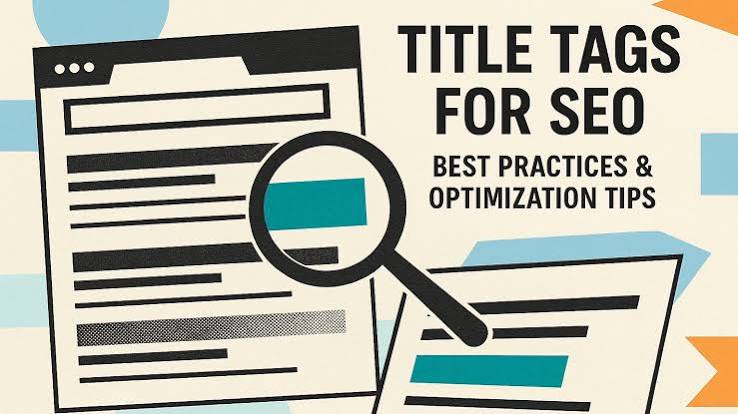
Bing Title Tags for Beginners Best Practices and Common Mistakes
Last updated: October 13, 2026
Quick Answer: For Bing Title Tags for Beginners: Best Practices and Common Mistakes, aim for 50 to 60 characters and make the title match the page’s main topic, search intent, and H1. Bing’s webmaster guidance favors clear, descriptive titles, and Google Search Central says title links should be unique and relevant. https://www.bing.com/webmasters/help/webmaster-guidelines-30fba23a https://developers.google.com/search/docs/appearance/title-link
In short: Bing title tags work best when they describe the page plainly, match the searcher’s intent, and stay close to the real page content. If you are writing for Bing and your titles keep getting ignored, rewritten, or clicked less often, the problem is usually not “SEO magic” — it is a title that is too vague, too long, too stuffed, or too far from the page itself. This guide on Bing Title Tags for Beginners: Best Practices and Common Mistakes focuses on the practical version of that problem: what to write, what to avoid, and when to update it. Bing’s own guidance and Google Search Central both stress descriptive, page-specific titles. https://www.bing.com/webmasters/help/webmaster-guidelines-30fba23a https://developers.google.com/search/docs/appearance/title-link
What Bing title tags actually do
Bing title tags tell both Bing and the searcher what a page is about in about 50 to 60 characters, though the engine can display more or less depending on the query and device. The title tag is also the blue link people see in results, so it affects both ranking signals and clicks. Bing’s webmaster guidelines recommend concise, descriptive titles, and Google notes that title links should match the page’s topic. https://www.bing.com/webmasters/help/webmaster-guidelines-30fba23a https://developers.google.com/search/docs/appearance/title-link
I treat the title tag as a promise, not a slogan. If the page is about fixing a leaky faucet, the title should say that in plain language. If it is a product page for a 14-inch laptop, the title should say the model and the key differentiator, not a brand poem. Bing’s own guidance for webmasters emphasizes clear, descriptive page titles, and that matches what searchers expect. For medical, legal, or financial pages, it is worth consulting a qualified professional before making claims in the title, because the title still needs to stay accurate to the page and compliant with the topic. https://www.bing.com/webmasters/help/webmaster-guidelines-30fba23a
What a generic article often gets wrong is this: it treats the title tag like a place to cram keywords. That works badly on Bing because a title that reads like a list of terms can look spammy and gives the searcher no reason to click. The engine can also rewrite titles if they look unhelpful or mismatched to the page. Google Search Central also warns against title links that are stuffed or boilerplate-heavy. https://developers.google.com/search/docs/appearance/title-link
A better mental model is: one page, one topic, one title. A title tag should usually include the main subject near the front, then one detail that helps the right searcher choose your result. For example:
Bing Title Tags: Best Practices for BeginnersHow to Write Bing Title Tags for Product PagesTitle Tag Examples for Bing SEO
Those are not clever, but they are legible. For beginners, legibility beats cleverness almost every time.
How do I write a Bing title tag that people actually click?
You write a Bing title tag that people click by making the topic obvious, placing the important words early, and keeping the promise narrow enough that the searcher knows what they will get. A good practical target is roughly 50 to 60 characters, but the real goal is readability at a glance. Moz and Google Search Central both recommend concise, descriptive titles rather than keyword-heavy ones. https://moz.com/learn/seo/title-tag https://developers.google.com/search/docs/appearance/title-link
Here is the simplest procedure I would use:
-
Name the page’s main subject in 2 to 4 words.
If the page is about title tags, use that phrase. If it is about a product, use the product name. The result should be obvious before the reader reaches the middle of the title. -
Add one qualifier that matters to the searcher.
Use a word like “beginners,” “for product pages,” “examples,” or “template.” That extra detail helps Bing surface the page for the right query and helps the user self-select. -
Keep the title close to the page content.
If the page teaches best practices, say best practices. If it is a checklist, say checklist. If it is a guide, say guide. A mismatch costs clicks and invites rewriting. -
Put the strongest phrase early.
Front-load the part you most want to be seen, because titles can be truncated on narrower screens. A title that starts with the brand and ends with the topic often wastes the visible space. -
Stop before it feels crowded.
If you need three pipes, two commas, and four keywords, the title is trying to do too much. The right result is a clean line, not a keyword inventory. -
Write one title per page and compare duplicates.
If two pages target the same phrase, Bing may have trouble choosing between them. Unique titles make each page’s purpose clearer.
A title tag is not the place to solve every SEO problem. It is the place to say, in one line, what this page answers for the searcher.
Common Bing title tag mistakes that quietly hurt clicks
The worst Bing title tag mistakes are the ones that look harmless: keyword stuffing, vague branding, titles that are too long, and titles that say one thing while the page does another. Each one costs you something different. Google Search Central and Bing both flag vague or repetitive titles as poor practice. https://developers.google.com/search/docs/appearance/title-link https://www.bing.com/webmasters/help/webmaster-guidelines-30fba23a
Keyword stuffing is the easiest mistake to spot. A title like Bing Title Tags, Title Tag Tips, Bing SEO Title Tags, Title Tags for Bing reads like a machine made it. The cost is trust. Searchers skip it, and Bing has less reason to leave it untouched. The fix is simple: choose one main phrase and one supporting detail.
Brand-first titles are common on homepages and product pages. A title that starts with the company name and only later gets to the topic can bury the useful part. That costs clicks because the page looks generic in search results. Put the specific topic first unless brand recognition is the main reason people search for you.
Titles that are too long often get clipped in the result list. There is no single magic character limit because display depends on pixel width, but titles much beyond the 50 to 60 character range are more likely to lose the important words. The cost is clarity. Shorten the title or move the least important words to the end.
Mismatch between title and page content is a bigger problem than people admit. If the title says “Beginner Guide” and the page is mostly a sales pitch, readers bounce. Bing notices that kind of disconnect indirectly through performance signals. The fix is to make the title honest about the page’s real purpose.
Duplicate titles across many pages are a crawl-and-click problem. If ten pages all say SEO Tips | Brand Name, none of them stands out. Add page-specific language, such as the topic, format, or audience.
A good rule: if I would not click the title in a search results page, I would rewrite it.
Bing title tags for beginners: what to put first and what to leave out
Bing title tags for beginners work best when the first 5 to 8 words carry the topic, and the rest only adds value if it changes the click decision. That means the title should lead with the page’s real subject, not with filler. Google Search Central recommends putting the most important information early in the title link. https://developers.google.com/search/docs/appearance/title-link
I would put these first, in roughly this order:
- the main topic or product name
- the page’s format, if it matters: guide, checklist, examples, template
- the user’s intent: beginner, pricing, comparison, troubleshooting
- the primary differentiator, if the page has one
I would leave these out unless they genuinely help:
- repeated keywords
- punctuation just for decoration
- every nearby synonym
- the company name on pages where no one searches for the brand directly
A practical example:
- Weak:
SEO, Bing, Title Tags, Best Practices, Optimization Tips - Better:
Bing Title Tags: Best Practices for Beginners - Better for a product page:
Samsung Galaxy Book4 14-inch Laptop
The specific form changes by page type. A blog post title can be a little more explanatory. A product page title should be more specific and more compact. A service page title should say the service and the location or specialization if those are core to the offer.
This section matters because beginners often ask, “What do I actually put in the title first?” My answer is usually: the thing a searcher typed into Bing, or the thing they most need to confirm before they click. If that is the brand, use the brand. If it is the topic, lead with the topic. If it is the model number, use the model number.
When should you rewrite a Bing title tag?
You should rewrite a Bing title tag when the page’s target query changes, when the title gets ignored in search results, or when the page content grows past the old title’s promise. That is the moment titles fail most often: the page has changed, but the title still points at the old version.
I would rewrite a title tag in these common cases:
- the page now targets a different search intent
- search console data shows poor clicks relative to impressions
- the title is being rewritten by Bing in ways that make it less useful
- the title no longer matches the main heading on the page
- two or more pages are competing with near-identical titles
If the page is a blog post that has become a tutorial, the title should change. If a product page now emphasizes a new feature set, the title should change. If an article originally aimed at experts now targets beginners, the title should say so.
The common mistake here is treating title tags as permanent labels. For practical SEO work, that assumption can be costly, so it is worth checking whether the page has changed enough to justify a rewrite, and consulting a professional when the page covers regulated or high-stakes topics. A stale title can make a strong page look irrelevant, and a precise title can rescue a weak click-through problem without changing a single paragraph on the page. Bing and Google both note that titles should reflect the page as it exists now. https://www.bing.com/webmasters/help/webmaster-guidelines-30fba23a https://developers.google.com/search/docs/appearance/title-link
One caution: do not rewrite titles every 48 hours. Give changes time to settle, usually at least a few weeks, so you can tell whether the new title helped or just introduced noise. Bing’s indexing and display behavior can lag behind your edit.
For pages with seasonal or dated intent, the title should reflect that too. A title containing a year can help when the searcher wants current information, but only if the page will stay current enough to deserve the date.
Bing title tag examples that work better than generic formulas
Bing title tags work better when they sound like something a real person would search for, not like a template dragged across every page. The formula changes by page type, but the useful pattern is usually subject + qualifier + optional brand.
For a tutorial page:
Bing Title Tags: Best Practices for BeginnersHow to Write Better Title Tags for BingTitle Tag Examples for Bing SEO
For a product page:
Sony WH-1000XM5 Wireless HeadphonesCanon EOS R50 Mirrorless CameraNotion AI Pricing and Plans
For a service page:
Emergency Plumber in AustinB2B Email Marketing ServicesSmall Business Bookkeeping Help
For a comparison page:
Shopify vs WooCommerce for Small StoresMacBook Air vs MacBook Pro: Which Fits Your Work?
The point is not to chase novelty. The point is to make the search result feel specific enough that the right person clicks and the wrong person skips it. In search results, that specificity can matter more than clever wording.
Generic formulas fail when they erase the page’s real job. Home | Brand Name tells the user almost nothing. Best SEO Tips | Brand Name tells them almost as little if the page is only about title tags. Better to make the subject undeniable.
I also prefer titles that avoid stacked separators unless the structure genuinely needs them. One colon or one pipe is enough in most cases. More punctuation usually makes the title look mechanical.
If you are working on many pages at once, consistency matters. Use the same style for similar page types, but do not force one title pattern onto every page. A guide, a service page, and a product page do not need the same voice.
What Bing title tags beginners miss about real search behavior
Bing title tags are not just about keywords; they are about matching the click reason behind the query. A beginner usually thinks, “What phrase should I rank for?” A better question is, “What would make someone choose this result over the next one?”
That shift changes the title immediately.
If the searcher wants a fast answer, the title should promise speed or directness. If the searcher wants to buy, the title should show the product or category clearly. If the searcher wants to learn, the title should show the level: beginner, guide, examples, checklist. A title that misses intent can still rank and still fail.
Bing also pulls signals from the page itself, not just the title tag. The H1, body copy, and internal linking help confirm what the page is about. If the title says “beginner guide” but the H1 says “advanced workflow,” the page feels unstable. That mismatch is easy to avoid and hard to fix after publication.
Another thing beginners miss is that a good title tag is often boring. A plain title that names the topic can outperform a flashy title that tries too hard. Search results are not a poster wall. They are a decision list. A title earns its place by reducing uncertainty, usually in under 2 seconds. According to Google Search Central, the title link should accurately summarize the page, and that usually means clarity over style. https://developers.google.com/search/docs/appearance/title-link
If the page is important, I would spend more time on the title than on the meta description. The title does the first job: getting the click. The description supports that click, but it usually cannot rescue a weak title.
FAQ: Bing title tags for beginners
How long should a Bing title tag be?
A practical target is about 50 to 60 characters, though Bing may show more or less depending on the query and screen width. I would write for clarity first, then trim if the important words get buried.
Should every title start with the keyword?
No. Put the main subject early, but do not force an awkward phrase to the front if it makes the title hard to read. A natural title usually performs better than a stiff one.
Can Bing rewrite my title tag?
Yes. If the title is vague, repetitive, or mismatched to the page, Bing may display a different version. The best defense is a clear, page-specific title tag and a matching H1. Bing’s webmaster guidance and Google’s title-link documentation both support that approach. https://www.bing.com/webmasters/help/webmaster-guidelines-30fba23a https://developers.google.com/search/docs/appearance/title-link
Should I include my brand in every title tag?
Not always. Brand can help when people already know you, but on many pages it steals space from the topic. Use it when it adds recognition, not by default on every page.
How often should I change title tags?
Only when the page’s purpose changes, the click behavior is weak, or the title no longer matches the content. Constant editing makes it harder to tell what actually improved.
Key takeaways
- A Bing title tag should say what the page is, not try to sound clever.
- Put the main topic near the front, then add one detail that helps the right searcher click.
- Keep titles honest, specific, and matched to the page’s actual content.
- Avoid stuffing, duplicate titles, and brand-first titles that hide the useful part.
- Rewrite titles when the page changes or when the current one no longer earns the click.
Drafted with AI; not yet reviewed by a person.




